Mobile Phone App Designer
A phone app in this shop is a set of screens designed next to the MatDeck document that feeds them. Navigation, forms, gestures and the preview are separate products, so you can buy the piece you are building for the bench.
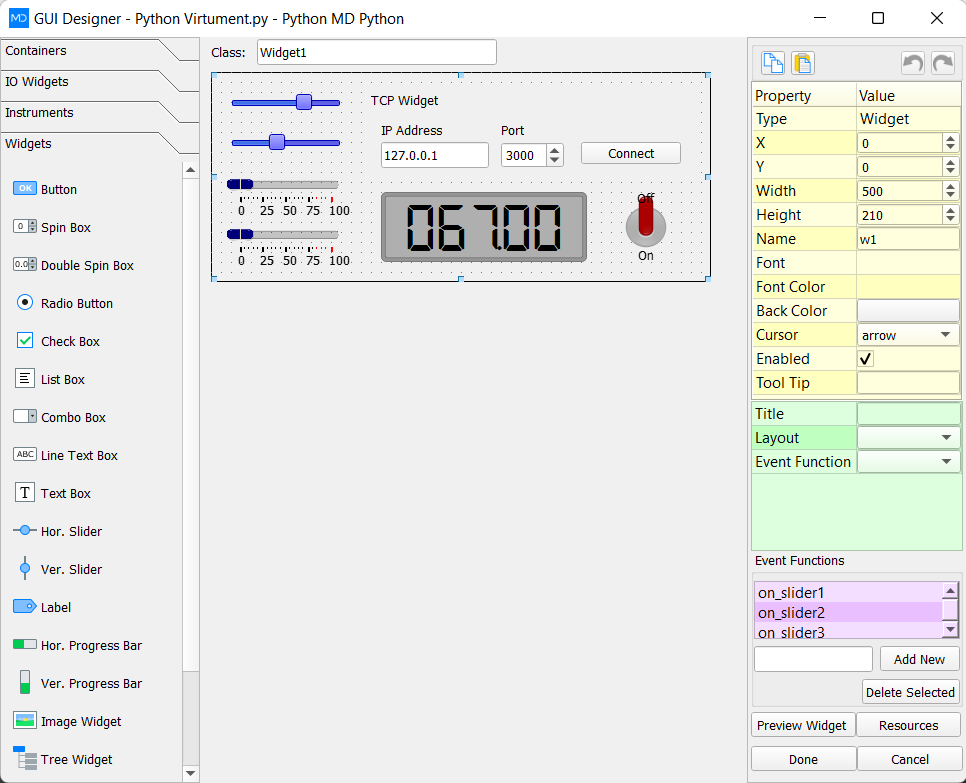
LabDeck's guide to developing a mobile phone app is the full walkthrough. The 12 products here are the pieces: screens, navigation, form controls, gestures, media hooks, local storage, notifications, responsive layouts, icons, a device preview, an API client and a packager. Each one ships in 14 versions.
A form field can read a concentration or a sample id from the sheet, so the phone shows the same number the document calculated. Packaging uses that generated project rather than a layout you redraw in another tool.
Products in this group (12)
- Phone Screen Designer — Lay out phone screens for a chemistry app and keep the generated code.
- Phone Navigation and Tabs — Tabs, stacks and the routes between phone screens.
- Phone Form Controls — Inputs for sample ids, volumes and notes, sized for a phone screen.
- Phone Gesture Map — Tap, swipe and long-press handlers written next to the control.
- Phone Media Hooks — Camera, image and file hooks for labels, apparatus and spectra photos.
- Phone Local Storage — Save and read bench readings on the device.
- Phone Notification Stub — A notification entry point the packaged chemistry app can call.
- Responsive Phone Layouts — Layouts that reflow between phone widths.
- App Icon and Splash — Icon and splash assets wired into the app project.
- Phone Device Preview — Preview the screen on a phone frame before you package it.
- Phone API Client — A small client the screen uses to call an instrument or LIMS endpoint.
- Phone App Packager — Package the designed phone app as a project you can build.